
Orange County Warrant Portal Status
The county warrant page links “ALL ACTIVE WARRANTS,” but the linked portal returned HTTP 404 during the September 20, 2026 review. The page still points readers to the Orange County Sheriff’s Office at 409-883-2612. Call to ask which office has the matter; do not treat an error screen as a search result.
The sheriff site groups Warrants and Records as separate support roles. A question about a live status belongs with the sheriff or issuing court; a request for an existing report follows the Sheriff Records process.
County warrant page and portal link · Sheriff support functions.
How to Search for a Warrant in Orange County
There is no statewide public warrant search in Texas, and the Orange County portal could not be reached at the last check. Begin with the likely issuer instead: the District Clerk for felony records, the County Clerk for misdemeanor County Court at Law files, the applicable JP, or the city court on a citation.
Have the case identifier and the name shown on your own notice. A relative may help a family member organize court papers, but the court decides what it can release and what action is needed. A search result is a lead, not a current court ruling.
- Open the county warrant page; if its active-list link fails, call the sheriff for the correct county contact.
- For Orange city court, choose Name, Citation Number, Docket Number, PD Case Number, or Warrant Number in the public case portal.
- Use the JP warrant directory to identify the precinct. Its linked portal fields were not verified.
- Call the issuing court or clerk, or submit a narrow written request for an existing record.
- For a matter outside Orange County, contact that county’s court. Texas has no public statewide warrant portal.
Orange County Warrant Search Limits
One search cannot cover every Orange County court. The county page, Orange municipal portal, JP links, and each city’s court list answer different questions. Texas has no single public statewide warrant portal, while TCIC and NCIC are restricted law-enforcement systems.
When a search is empty, name the court or agency on the citation and ask that office to check its own file. The sheriff can direct a county question, but a city clerk controls city-court settings and recall steps.
JP warrant directory and District Clerk records provide separate routes.
Orange County Warrant Search Fields
The search-field table below describes Orange’s city case portal, not a county sheriff database. Its controls include several case identifiers. The inspection did not show a date-of-birth field, so a name-only match needs extra care and direct court confirmation.
| Field Label | Type | Required | Notes |
|---|---|---|---|
| Name | Search mode | No observed required flag | Use the full name from your court paper; no DOB control was captured. |
| Citation Number | Search mode | No observed required flag | Use the number printed on the Orange citation. |
| Docket Number | Search mode | No observed required flag | Connects to a court setting or case file. |
| PD Case Number | Search mode | No observed required flag | Orange Police Department case identifier. |
| Warrant Number | Search mode | No observed required flag | Choose when the court notice supplies a warrant number. |
Orange County City Warrant Search Is Local
The municipal portal is titled Traffic/Criminal Case Search and is linked from the City of Orange. It can search case modes tied to Orange, including a warrant number, but it does not cover every Orange County court. A Vidor matter, a Bridge City capias, or a JP citation needs its own court route.
Orange also keeps a separate outstanding-warrant page with annual links from 2020 through 2024. Those archived lists are not a real-time feed, and the row schema was not captured. Use the court clerk to confirm what a listed entry means today.
What an Orange County Warrant Search Returns
No row schema was captured for the county active portal, the JP links, or the city PDFs. Do not expect a fixed set of fields. When an office confirms a record, ask for the issuing court, case or cause number, warrant identifier, current status, and what action the court requires.
| Case identifier | Cause, citation, docket, police case, or warrant number; the court can match the one on your notice. |
|---|---|
| Issuing court | Names the office with authority over the case and its next setting. |
| Record description | Ask the clerk to explain the title or event code rather than infer from a short label. |
| Bond or balance | Not verified in the county portal; ask the issuing court for current figures. |
| Status date | Ask when the record was checked and whether the court has entered a later recall or service event. |
Orange County JP Warrant Links Need a Precinct
Orange County links separate warrant portals for JP1, JP2, JP3, and JP4. The county page says to call before paying online, and the linked endpoints did not render in the research check. JP1 is at 801 W Division, JP2 at 3500 Edgar Brown Drive, JP3 at 2524 Highway 87 South, and JP4 at 190 Camp Street in Vidor.
Use the precinct on your citation or ask the county which court handled the case. A JP search cannot be replaced by the Orange city portal. The county JP warrant directory links the four court pages.
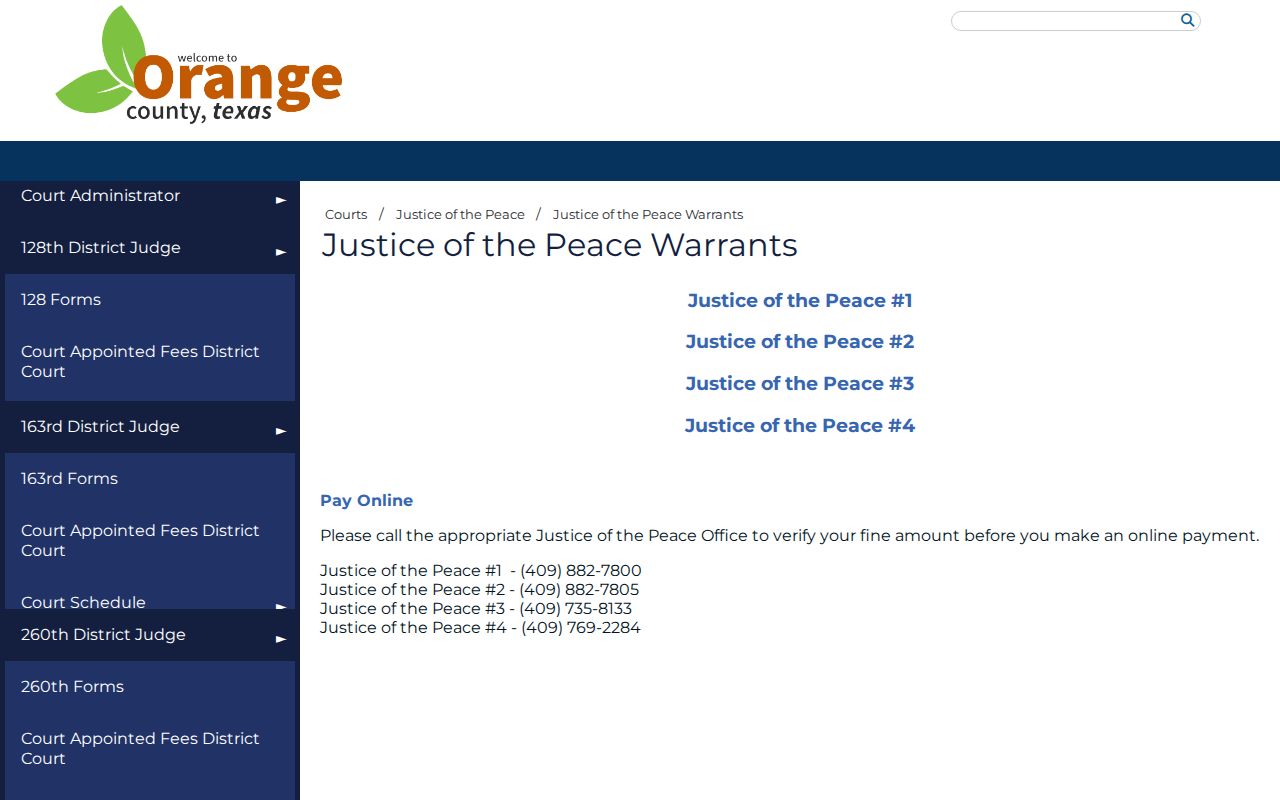
The page shows separate precinct routes. Confirm the right court before sending a payment or record request.
Where Orange County Warrants Are Checked
Felony records route to the District Clerk; County Court at Law misdemeanor files route to the County Clerk. Four JPs and each incorporated city have separate lower-court systems. The sheriff can answer routing questions for county warrants, but TCIC and NCIC entries are law-enforcement tools, not public portals.
For a matter outside Orange County, contact the court or sheriff in that county. Texas DPS’s Failure to Appear/Failure to Pay program is tied to license renewal after court reporting, not to a statewide public warrant lookup.
Orange County Warrant Requests Seek Existing Records
The Sheriff Records office takes written requests under the Texas Public Information Act. Describe the agency or court, a useful date range, and a case or citation number if available. The sheriff’s form has no dedicated warrant checkbox, so explain the existing document sought and ask whether the sheriff or a court keeps it.
The office says it does not create information or conduct legal research. A request may be narrowed, referred, redacted, or delayed under an exception. For current status or recall, contact the issuing court rather than waiting for a records response.
Sheriff Records request instructions.
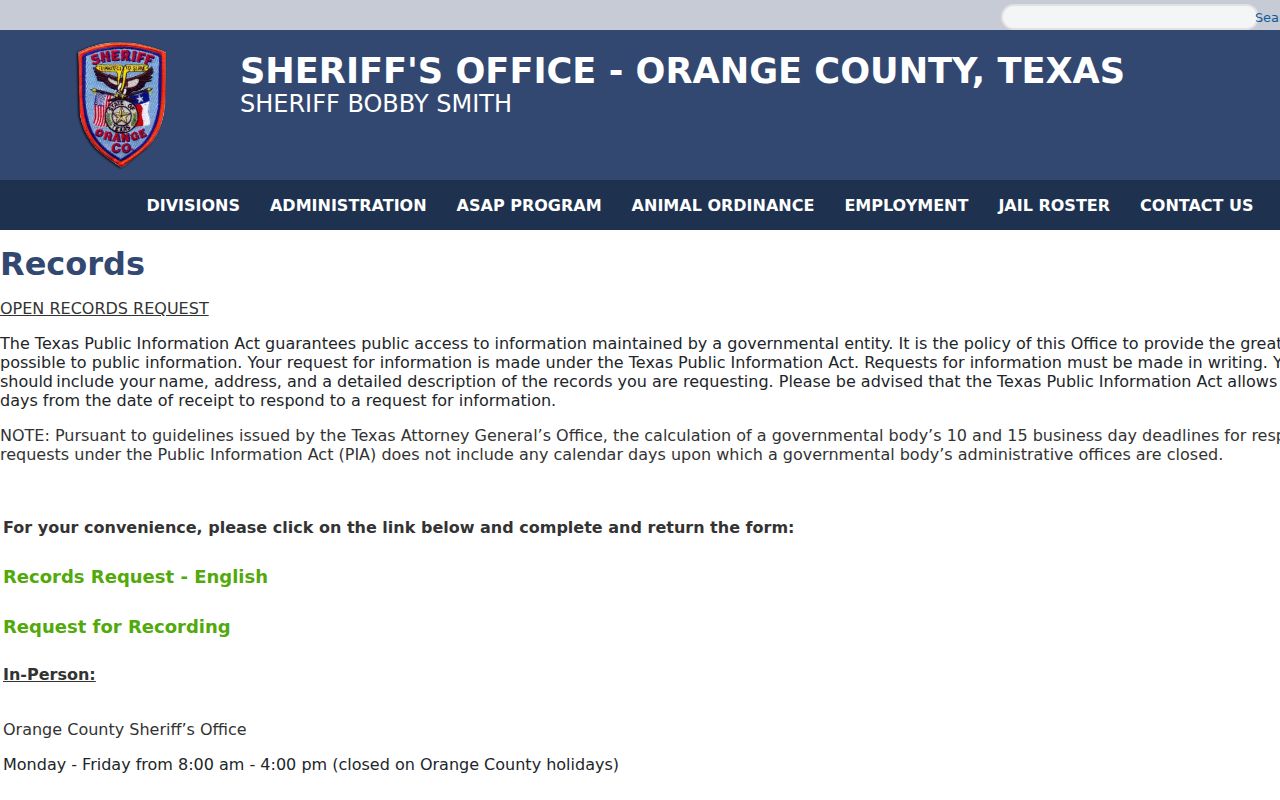
The form image is a records workflow, not a warrant-search screen. Ask the office to confirm current form and fee details.
Access and Restricted Warrants
Public access has limits. Juvenile material is protected under Texas Family Code Chapter 58, and sealed, confidential, or law-enforcement-sensitive material may be withheld or redacted. A public page may also lag behind court action.
Key Rules:
Texas Government Code Chapter 552 allows exceptions for records protected by law.
Texas Family Code Chapter 58 limits public access to juvenile records.
No result in an unavailable, limited, or dated search is not proof that no warrant exists.